What an AI-native operating system means for a law firm
An AI-native law firm does not replace every system. It adds one managed, supervised operating layer across the legal-tech stack the firm already owns.
Jonathan Mahler
Non-Attorney Partner & COO, Conduit Law
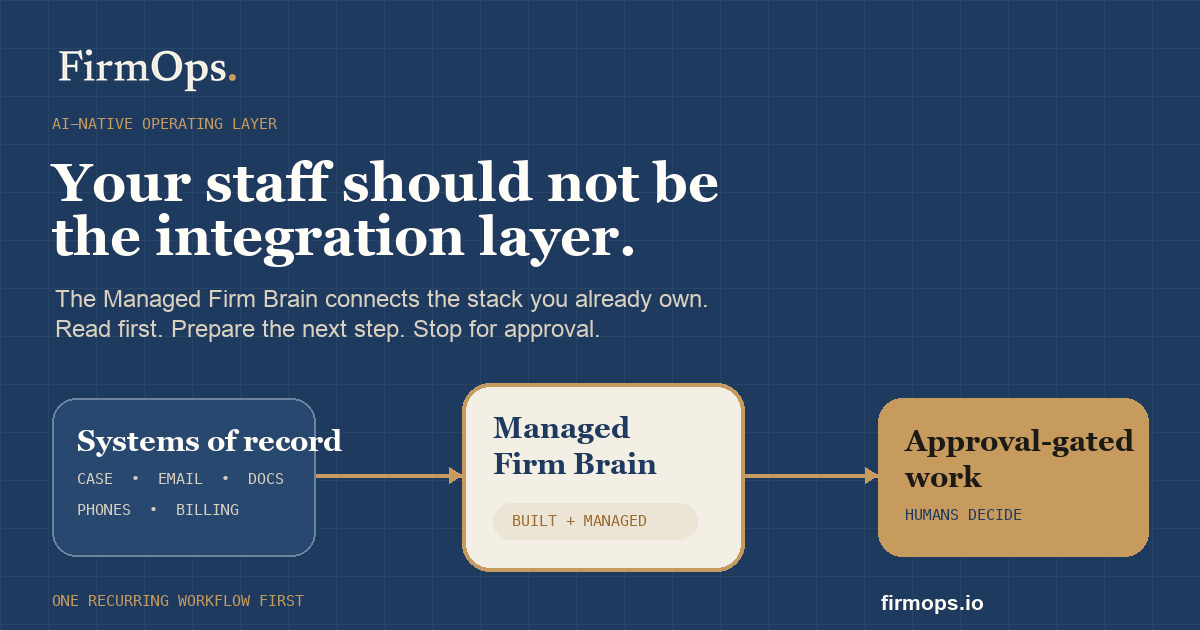
Your staff should not be the integration layer.
That is the simplest way to explain why an AI-native operating system matters for a law firm. Most firms already have plenty of software. Case management. Email. Documents. Phones. Intake. E-signature. Billing. Reporting. The problem is not a shortage of tools. The problem is that each tool holds one piece of the truth, while people spend their day moving that truth between tabs.
At Conduit, the recurring drag was not a missing app. It was a lead or matter being reconstructed from the case system, inbox, document folder, phone log, and a spreadsheet before anyone could decide the next step. Those manual workarounds turned ordinary handoffs into operational bottlenecks. The cost of disconnected data was staff rebuilding context by hand.
FirmOps calls the answer a Managed Firm Brain. The emerging technical phrase is an AI-native operating system or AI-native operating layer for the law firm. The name matters less than the operating model: one supervised layer across the legal-tech stack the firm already owns, built and managed for the firm, with people still controlling sensitive work.
An operating layer, not another system to replace everything
The word operating system can create the wrong picture. FirmOps is not asking a firm to rip out Clio, Filevine, SmartAdvocate, Dropbox, Gmail, QuickBooks, or the other tools where work already lives. Those applications remain the systems of record.
The AI-native operating layer sits across them. It reads approved context from each source, resolves the question the owner or staff member actually asked, prepares the next step, and stops at the right approval gate. The case system still owns the matter record. The document platform still owns the file. The inbox still owns the correspondence. The firm brain gives those systems a shared operating context.
This distinction is practical. An all-in-one replacement project asks the firm to migrate years of data and retrain everyone before value appears. A Managed Firm Brain starts read-first on the stack already in place. It can answer one cross-system question, prove the answer with sources, and expand only after the firm trusts it.
What makes the system AI-native?
Adding a chatbot button to case-management software does not make the firm AI-native. That is AI-enabled software: one assistant inside one application, limited to the data and actions that application can see.
An AI-native operating layer is designed around context, reasoning, handoffs, and control from the beginning.
- Cross-system context: the layer can compare matter data, documents, email, tasks, phone activity, billing, and reporting instead of treating each source as a separate job.
- Plain-English operating questions: owners and staff can ask what needs attention, what is missing, or what should happen next without constructing another report by hand.
- Source-linked answers: the system shows where each fact came from and separates evidence from assumptions.
- Supervised work: it can prepare a draft, task plan, checklist, or exception list, but sensitive action stays approval-gated.
- Learning operating logic: the firm can encode its stages, fit rules, ownership rules, escalation paths, and review standards into a reusable system.
- Data ownership: the firm keeps control of its records, operating logic, and relationships between systems instead of becoming trapped inside one black-box vendor.
This is not autonomy for autonomy's sake. It is a better way to turn the firm's approved context into visible, reviewable work.
The legal-tech stack problem in one example
Take a simple owner question: Which signed clients have not become opened matters yet, and what is blocking each one?
Answering that manually can require an intake system, e-signature platform, email, document storage, the case-management system, and a spreadsheet someone maintains because none of the other systems quite agree. A staff member checks each source, decides which one is current, copies the answer into a report, and sends it to a manager. By the time the report is read, part of it may already be stale.
A firm brain handles the shape of the work differently. It reads the approved sources, identifies the signed-but-not-opened group, shows the blocking item for each client, links the evidence, and drafts the next internal task. If an external message is needed, the system stages it for a person. Nothing client-facing leaves because the machine said so.
That is the difference between another dashboard and an operating layer.
AI tool versus AI-native operating layer
| Question | Point AI tool | Managed Firm Brain |
|---|---|---|
| What can it see? | One app or one uploaded file | Approved context across the firm's existing stack |
| What does it produce? | A narrow output such as a summary or draft | A source-linked answer, next-step draft, owner, and approval handoff |
| Who connects the systems? | Staff copy and paste the context | The operating layer assembles approved context |
| Where does the record live? | Often inside the vendor's product | Existing systems of record stay in place |
| What controls action? | Vendor defaults or a prompt | Firm-specific read-only, draft-only, and approval-gated rules |
| Who manages it? | The firm buys seats and figures it out | FirmOps builds, monitors, and improves the brain for the firm |
What should stay human?
A useful operating system needs clear limits. FirmOps does not use AI as the voice on a personal-injury intake line. Live client calls belong to people. Attorney judgment belongs to attorneys. Legal advice, filed work, payments, client-facing messages, and material record changes need the right human review.
The best early uses are behind the phone: finding missing context, preparing routine documents, monitoring follow-ups, drafting client updates, identifying stalled matters, reconciling reports, and showing managers where attention is needed.
The operating rule is simple: read-first, then drafts, then approval-gated action. Responsibility expands only after the workflow earns trust.
When this model is not a fit
A Managed Firm Brain is not a fit for a firm looking for a cheap plug-in, a generic chatbot, or an AI receptionist. It is also not a shortcut around broken ownership. If nobody can say which system is authoritative, who approves a change, or what a good handoff looks like, those operating decisions need to be made before automation should act.
The model is strongest for owner-led firms with recurring workflows, several systems, enough volume for manual handoffs to hurt, and a willingness to start with visibility rather than a dramatic autonomous launch.
How to start without another transformation project
- Name one recurring operating question. Start with something the owner or manager asks every week.
- Map the evidence sources. Identify which systems hold the facts and where they can disagree.
- Set the authority order. Decide which system wins for each field or status.
- Run read-first. Make the layer prove it can reconstruct the state before it changes anything.
- Add the handoff. Let it prepare the task, draft, or exception list with a named owner.
- Define the approval gate. State exactly what a person must clear before an external send or record change.
- Measure the result. Track time returned, errors avoided, follow-ups completed, and whether staff actually use the workflow.
That sequence is less exciting than announcing an autonomous law firm. It also works.
Why FirmOps calls it a Managed Firm Brain
AI-native operating system describes the category. Managed Firm Brain describes the actual offer.
FirmOps learns how the firm runs, connects the approved systems, builds the first useful workflow, monitors it, and keeps improving it as the firm changes. The firm does not buy another software seat and inherit another system to manage. FirmOps manages the brain. The firm owns the brain and its operating logic.
The model was built from the COO seat inside Conduit Law, where the question was never how to add more software. The question was how to make a thousand moving parts behave like one business without removing the people, judgment, or accountability that make the firm work.
For the broader operating model, see the law firm operations guide and the companion piece on the future of the law firm AI learning loop.
You can see the public-safe operating proof in the Conduit Law case study, compare the broader category on the AI for law firms guide, or book a 15-minute live demo around one real bottleneck.
Keep moving up the operating system
Get the Managed Firm Brain Notes
Follow the practical path: live workflow builds, CRM-aware automation when the data is ready, and supervised work after approval.
Demo Context
What to watch for in the Managed Firm Brain walkthrough
Live-Lab Proof
How Conduit informs the first external deployments
Fit Criteria
API-ready systems, workflow scope, and approval gates
About Jonathan Mahler
Jonathan Mahler is the non-attorney partner and COO of Conduit Law and the operator behind FirmOps. He runs the systems of a live PI firm every day, then turns reusable patterns into practical Managed Firm Brain workflows: approved context, supervised drafts, approval gates, and a path into deeper automation when the first workflow proves value.
Related Articles
What Satya Nadella’s “future of the firm” means for law firms
Satya Nadella’s AI learning-loop idea points to the real law firm advantage: turning human judgment, workflows, and outcomes into firm infrastructure.
Claude Desktop + MCP: A Company Brain for Law Firms
How Claude Desktop can become a staff-facing company brain when MCP connects it to Clio, Gmail, Dropbox, intake, payments, validation, and reporting tools.
See if FirmOps should build your Managed Firm Brain
Bring one recurring bottleneck and see whether it is a good first firm-brain build. If the first workflow is concrete, the next step is a live build session, not a broad advisory project.
15-minute live demo | One workflow | Human approval before external action